
MovieClaw

Download MovieClaw

Run the server on your NAS or computer. Watch with the apps on your phone, TV, and computer.

MovieClaw's interface is currently in Chinese only.

Try the demo
Home on Android TV: the featured banner and Up Next (the app's interface is in Chinese)
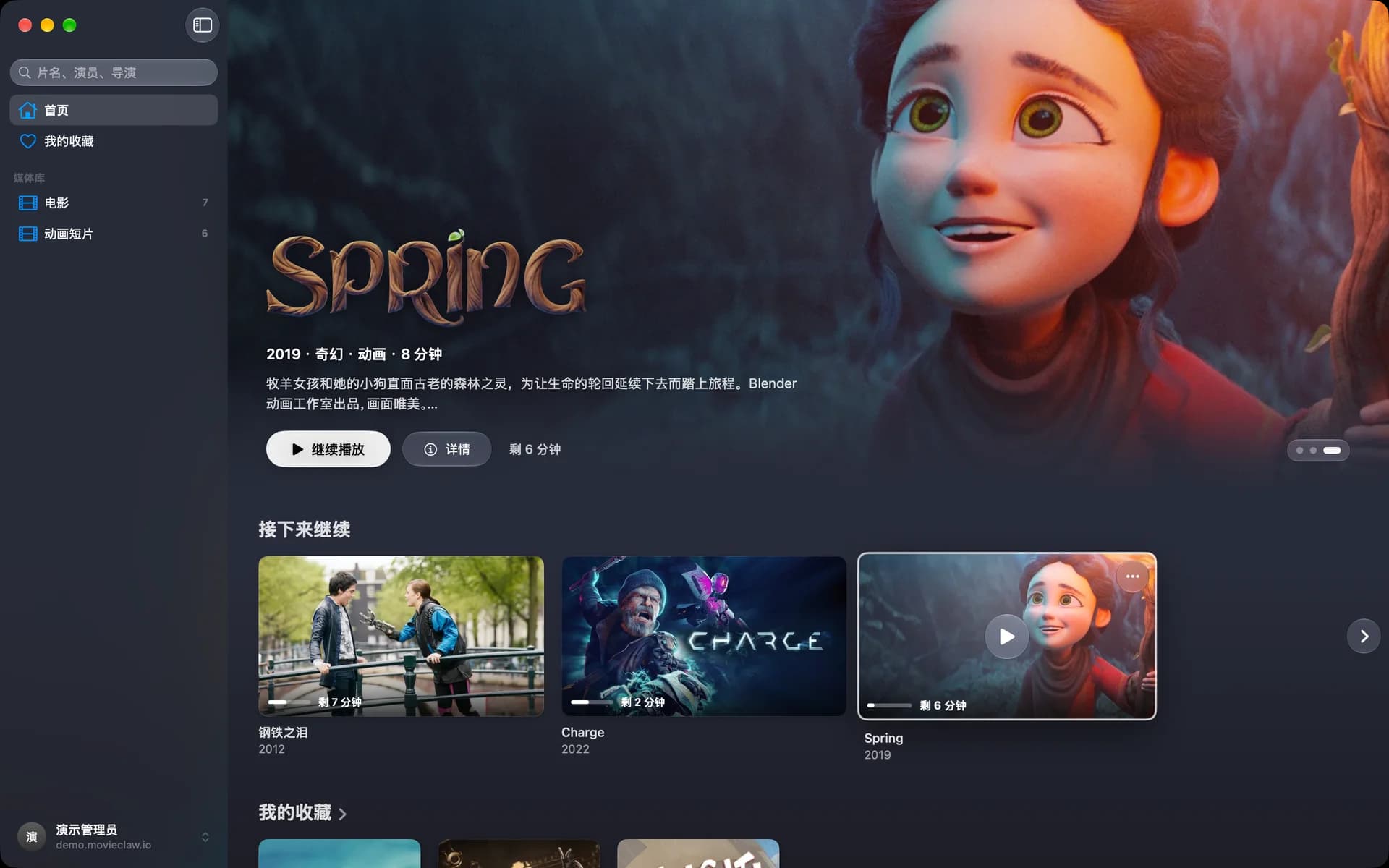
Home on the Mac: the sidebar, the featured banner, and Up Next (the app's interface is in Chinese)
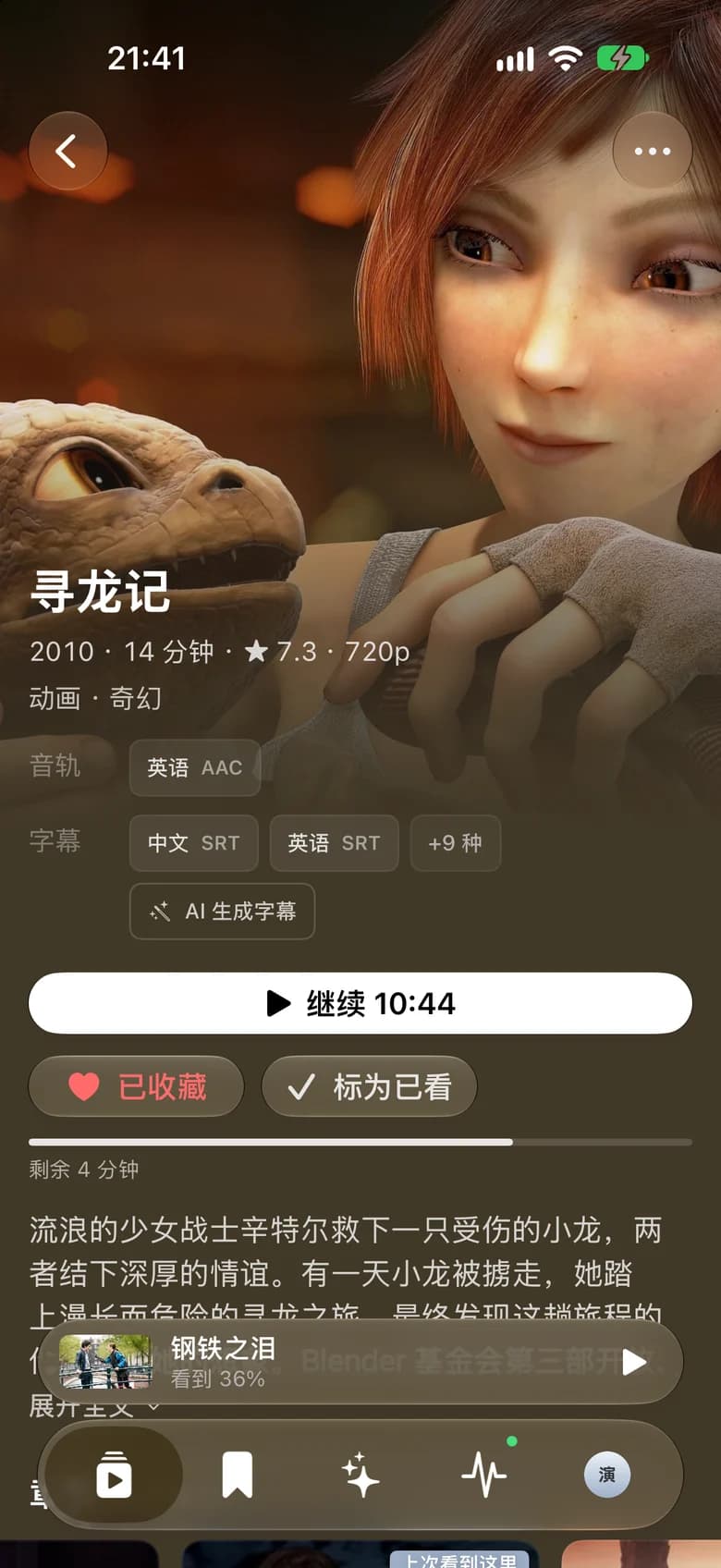
A movie's detail page on iPhone
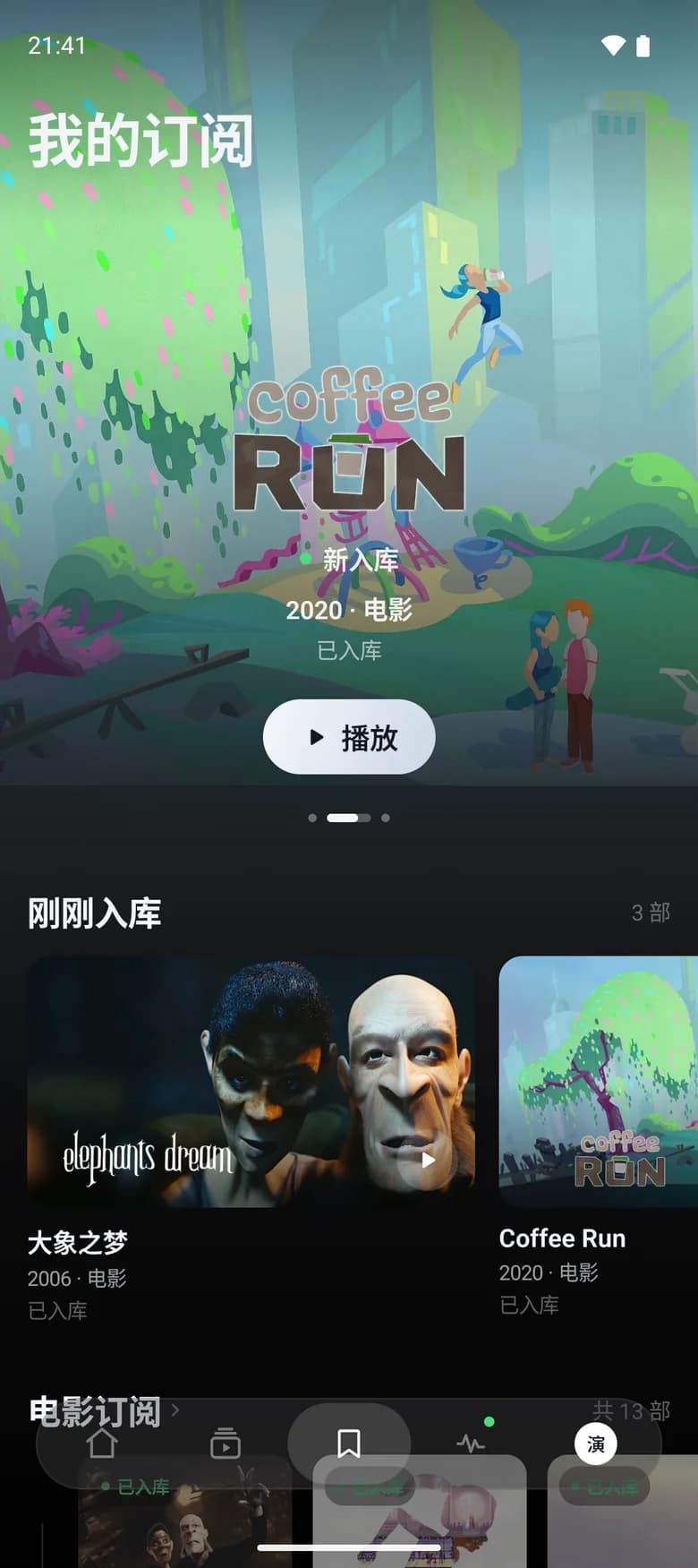
Subscriptions on an Android phone (the app's interface is in Chinese)

Apps

Connect to your server and pick up where you left off on any device.

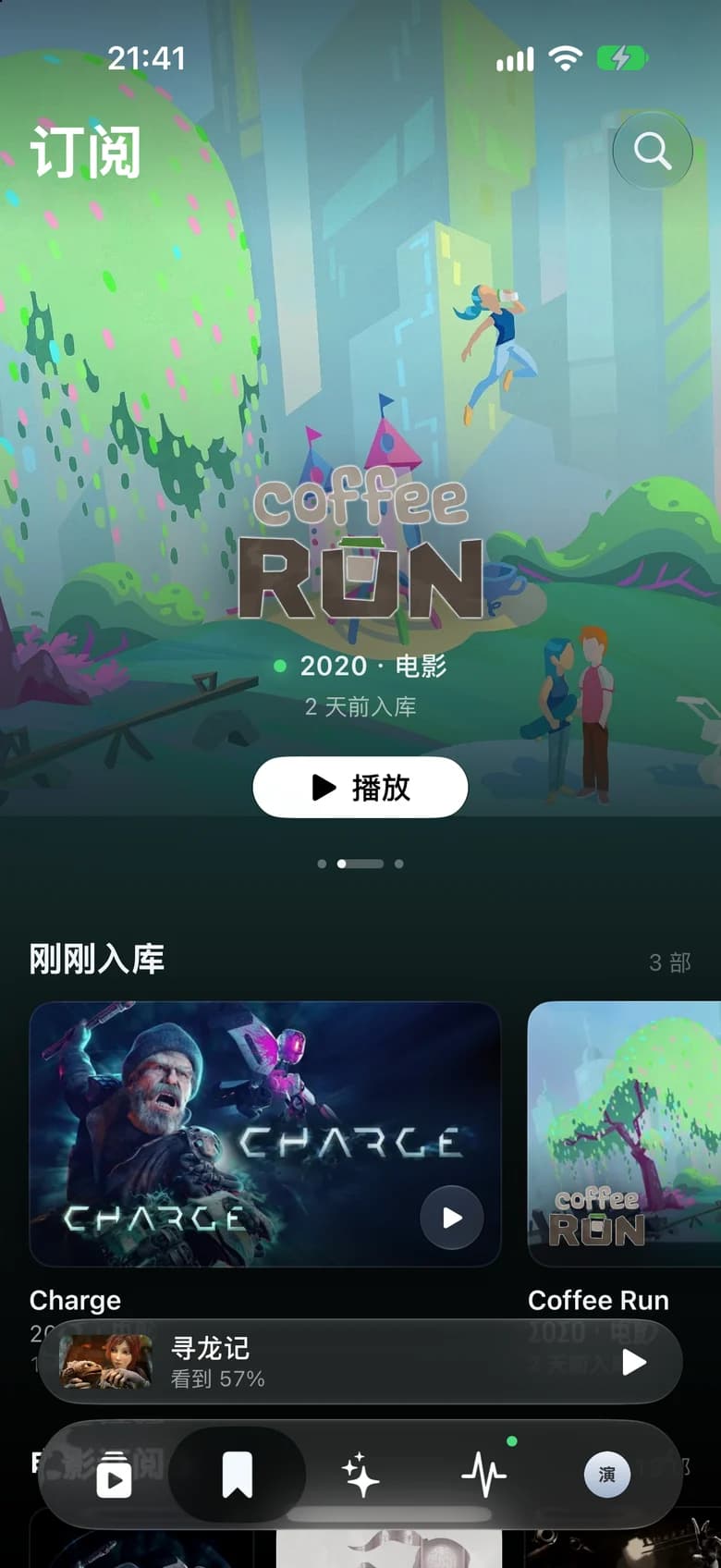
Subscriptions on iPhone
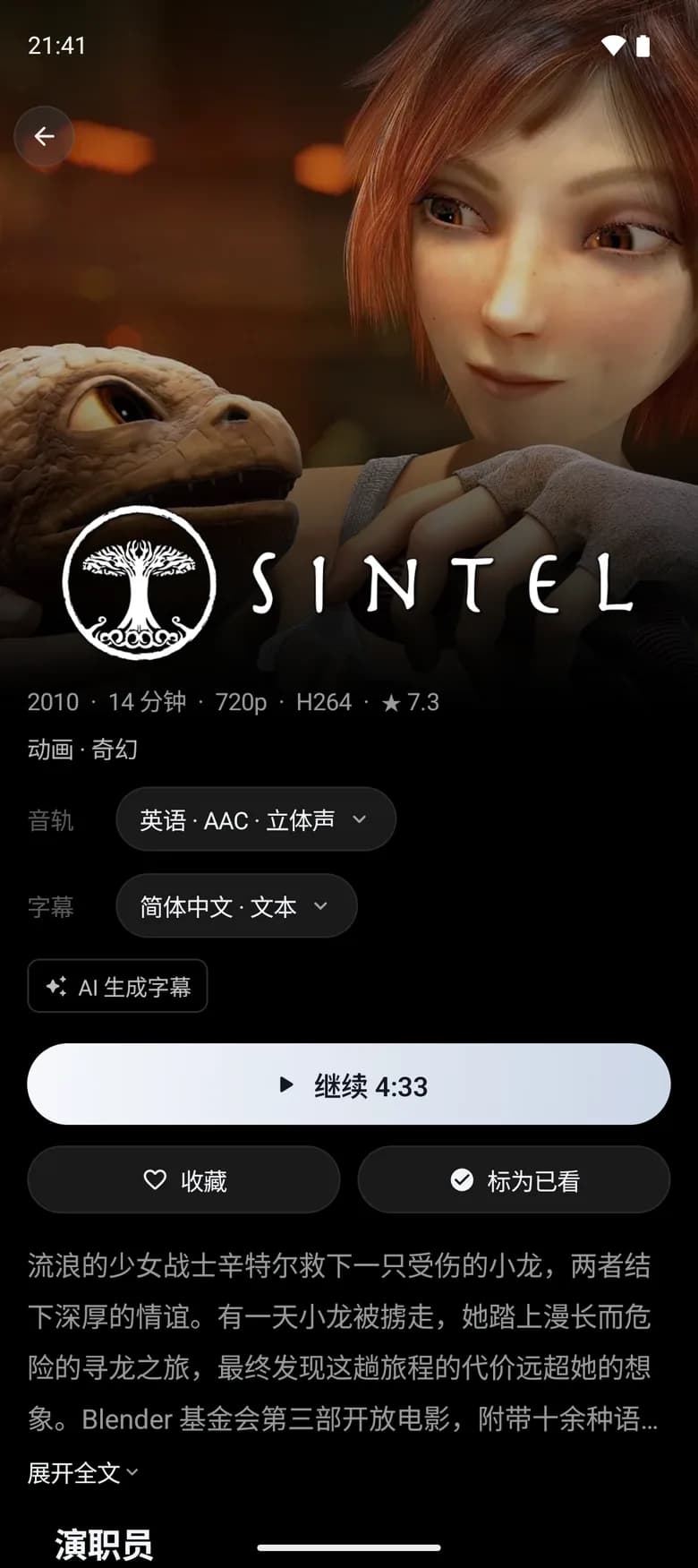
A movie's detail page on an Android phone (the app's interface is in Chinese)

Phone and tablet

Your library, wherever you go.

  • iPhoneComing soon

    Coming soon to the App Store
    Requires iOS 26 or later

    Notify me
    Sideload (advanced)

    Until the App Store release, you can download the unsigned IPA and sign it with your own Apple ID to install it on your iPhone or iPad.

    1. Install AltStore, SideStore, or Sideloadly on your computer and connect your iPhone or iPad as its guide describes.
    2. Download the IPA below, then sign and install it with that tool. Apps signed with a free Apple ID need re-signing every 7 days.
    3. Open the app, enter your MovieClaw server address, and sign in.

    Sideloaded builds can't receive push notifications.

    Unsigned IPA

    Loading download information…

  • Android

    Loading download information…

    How to install
    1. Download the APK on your phone and open it.
    2. When prompted, allow your browser or file manager to install apps, then install.
    3. Open the app, enter your MovieClaw server address, and sign in.
A movie's detail page on Apple TV: resume, play from the start, and favorite (the app's interface is in Chinese)

TV

Pick with the remote. Watch on the big screen.

  • Apple TVPublic beta

    Requires tvOS 26 or later

    TestFlight
    How to install
    1. Install TestFlight on your iPhone or iPad and Apple TV. Sign in to the same App Store account on both devices.
    2. Open the invitation link on your iPhone or iPad and accept the MovieClaw invitation in TestFlight.
    3. Open TestFlight on Apple TV and install MovieClaw. Then connect the app to your own server or the demo server.
  • Android TVEarly access

    Loading download information…

    This is an early access build. Playback support varies by TV and box.

    How to install
    1. Get the APK onto your TV or box. Open the download link in an app like Downloader, or copy it over on a USB drive.
    2. When prompted, allow that app to install apps, then install.
    3. Open the app, enter your MovieClaw server address, and sign in.
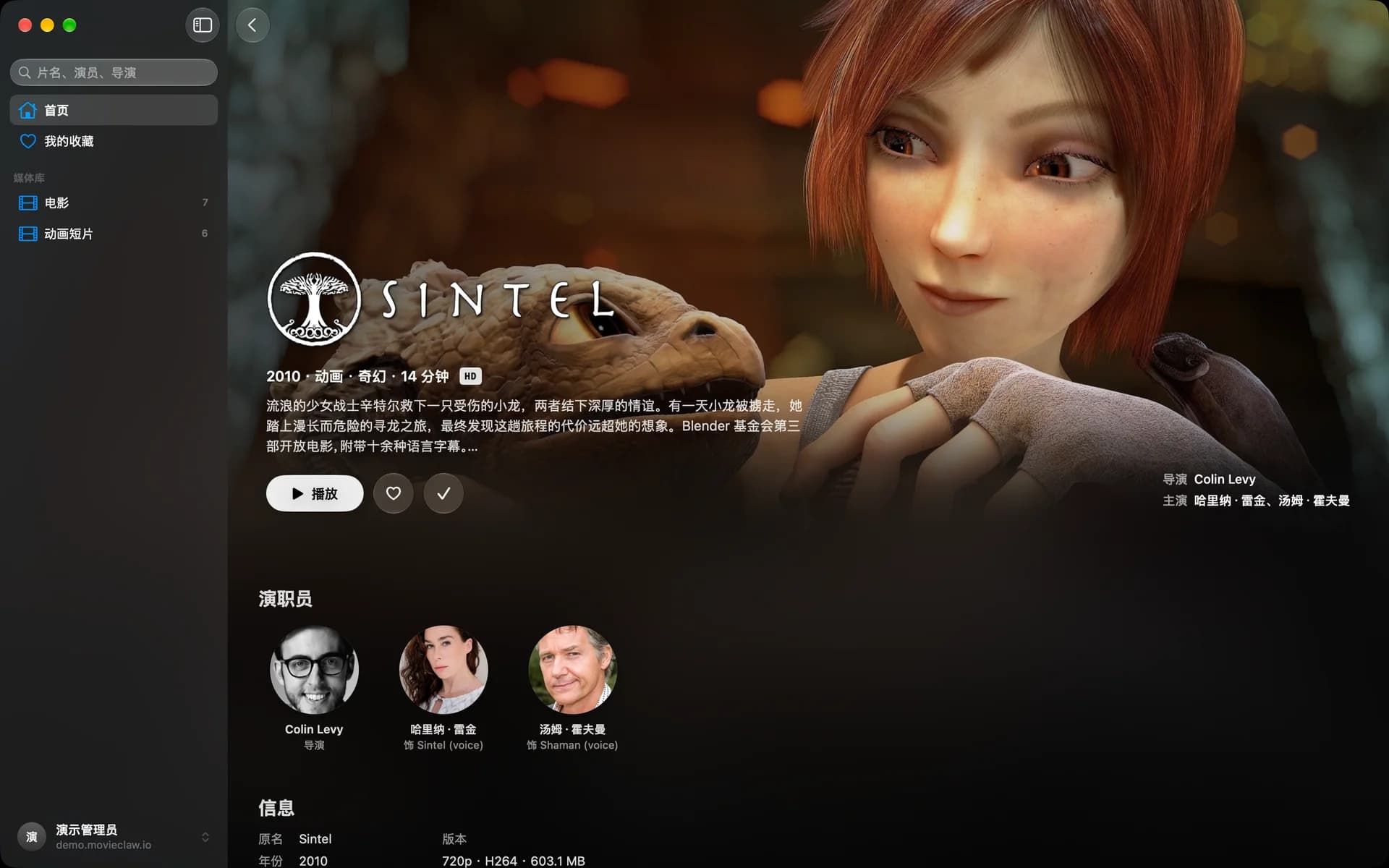
A movie's detail page on the Mac: backdrop, synopsis, and cast (the app's interface is in Chinese)

Computer

Watch in a dedicated window, with keyboard shortcuts for common actions.

  • Mac

    Loading download information…

    How to install
    1. Download and unzip, then drag MovieClaw to Applications.
    2. Open the app and enter your MovieClaw server address.
    3. Sign in with your server account and start watching.
  • WindowsEarly access

    Loading download information…

    Early access. The app doesn't include a server: it connects to a MovieClaw server you've set up separately.

    How to install
    1. Download and run the installer. Prefer not to install? Get the portable ZIP, unzip it, and open the app.
    2. The installer isn't code-signed yet, so SmartScreen may say "Windows protected your PC". Click More info, then Run anyway.
    3. Open the app, enter your MovieClaw server address, and sign in.

Mac Transcoder

When your NAS can't keep up, let your Mac handle transcoding. Your movies stay on the NAS.

Loading download information…

Install guide

Server

One Docker container runs everything, with no separate database. Works on x86_64 and ARM64.

docker run -d --name movieclaw --init -p 3000:3000 \
  --restart unless-stopped \
  -e TZ=Europe/London \
  -v "$(pwd)/data:/app/data" \
  -v /srv/media:/media \
  -v /srv/downloads:/downloads \
  movieclaw/movieclaw:latest

Replace the paths left of each colon with your own media and download folders, then open http://<host IP>:3000.

Full install guide

No server yet? Try MovieClaw first.

Open the demo

The demo is read-only and resets daily.

Try the demo in the app

To try it in the app, enter this server address:https://demo.movieclaw.io

Username adminPassword movieclaw

Be the first to know

New apps and release roundups, straight to your inbox.

Get updates

Connect any app to your own MovieClaw server, or try it with the demo server first.